Consul centos7安装
sudo yum install -y yum-utils
sudo yum-config-manager --add-repo https://rpm.releases.hashicorp.com/RHEL/hashicorp.repo
sudo yum -y install consul
启动:consul agent -dev -ui -node=consul-dev -client=192.168.150.130
查看consul节点信息:consul members
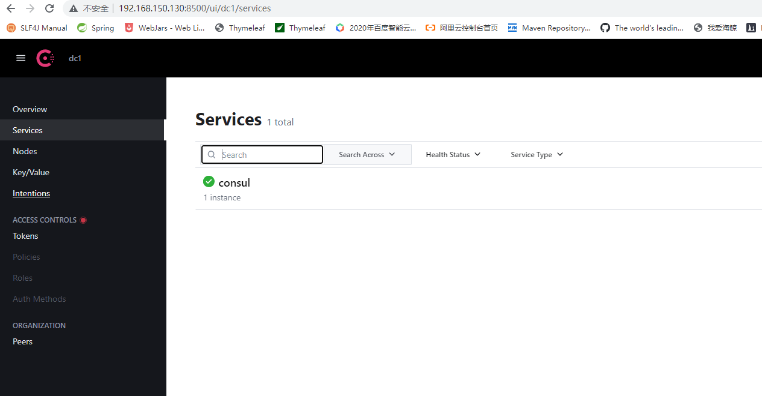
查看是否启动,在浏览器中打开:
如图:
参考地址:
官网:
https://developer.hashicorp.com/consul/downloads
参考文章
https://blog.csdn.net/qq_42758288/article/details/108725326
2025-04-07 start
为什么要引入服务注册中心?
之前的硬代码

实现微服务之间的动态加载
为什么不用之前的Eureka?
1.停更了
2.Eureka的自我保护机制 很垃圾
3.注册中心独立 和微服务功能解耦

   现在主流还是希望可以独立出来呀~~
   成熟的组件
4.阿里巴巴NACOS的崛起

不是Eureka用不起 而是Consul更有性价比
Consul简介?
https://www.consul.io/
HCP是啥
wiki看官网
源代码看github

https://developer.hashicorp.com/consul/docs/intro
服务发现和配置系统

关于禁止使用的问题!
不能使用企业版本的vault,而不是其他的开源产品比如Consul
https://releases.hashicorp.com/consul/1.20.5/consul_1.20.5_linux_amd64.zip 下载
将consul复制到opt/consul文件夹下
unzip con... 解压
-
将Consul移动到系统路径: sudo cp consul /usr/bin
-
验证安装: consul -v
nohup consul agent -dev -ui -node=consul-dev -client=0.0.0.0 &
集群模式
-
启动第一台服务器(Leader): consul agent -server -bootstrap-expect=3 -data-dir=/usr/local/consul/data -node=server1 -bind=192.168.0.185 -client=0.0.0.0
-
启动其他服务器并加入集群: consul agent -server -data-dir=/usr/local/consul/data -node=server2 -bind=192.168.0.104 -client=0.0.0.0 -join=192.168.0.185 consul agent -server -data-dir=/usr/local/consul/data -node=server3 -bind=192.168.0.184 -client=0.0.0.0 -join=192.168.0.185 -ui
-
查看集群成员: consul members
end