之前做的登录一直没有做验证码的登录功能,在网上搜索了一下, 简单的实现了下登录过程。效果图和相关文章如下:
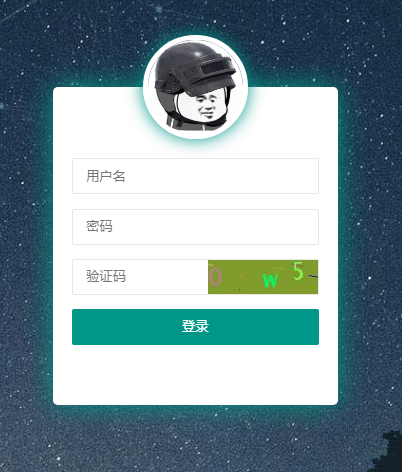
2026-02-02 start:
 /**
     * 生成图片验证码接口
     *
     * @return 验证码响应(包含验证码key和Base64图片)
     */
    @GetMapping("/captcha")
    public ResultData<CaptchaResponse> generateCaptcha() {
        log.info("生成图片验证码接口");

        // 生成验证码
        CaptchaUtil.CaptchaResult captchaResult = CaptchaUtil.generate();

        // 将验证码值存储到Redis,使用验证码key作为Redis key的一部分
        String redisKey = RedisKeyConstants.REDIS_CAPTCHA_KEY_PREFIX + captchaResult.getCaptchaKey();
        redisTemplate.opsForValue().set(redisKey, captchaResult.getCode(), CAPTCHA_EXPIRATION, TimeUnit.SECONDS);

        // 构建响应
        CaptchaResponse response = new CaptchaResponse();
        response.setCaptchaKey(captchaResult.getCaptchaKey());
        response.setImageBase64(captchaResult.getImageBase64());

        log.info("验证码生成成功,captchaKey: {}", captchaResult.getCaptchaKey());
        return ResultData.success(response);
    }
引入hutool工具包:
<!-- Source: https://mvnrepository.com/artifact/cn.hutool/hutool-all -->
<dependency>
    <groupId>cn.hutool</groupId>
    <artifactId>hutool-all</artifactId>
    <version>5.8.43</version>
    <scope>compile</scope>
</dependency>
end