类组件:
App.jsx:
import { Component } from 'react'
import './App.css'

export default class App extends Component {
  constructor(props) {
    super(props)
    this.state = {
      count: 0,
    }
  }

  handleDecrement = () => {
    this.setState((prev) => ({ count: prev.count - 1 }))
  }

  handleIncrement = () => {
    this.setState((prev) => ({ count: prev.count + 1 }))
  }

  componentDidMount() {
    document.title = 'React 类组件入门'
  }

  render() {
    const { count } = this.state

    return (
      <div className="app">
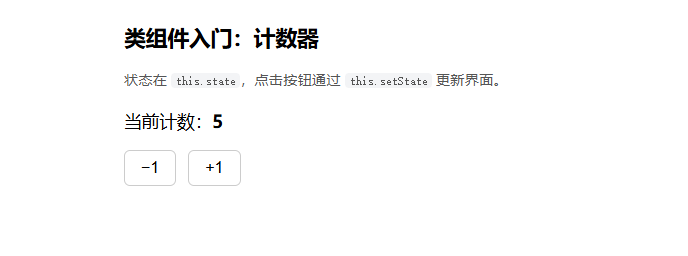
        <h1>类组件入门:计数器</h1>
        <p className="hint">
          状态在 <code>this.state</code>,点击按钮通过{' '}
          <code>this.setState</code> 更新界面。
        </p>
        <p className="count">
          当前计数:<strong>{count}</strong>
        </p>
        <div className="actions">
          <button type="button" onClick={this.handleDecrement}>
            −1
          </button>
          <button type="button" onClick={this.handleIncrement}>
            +1
          </button>
        </div>
      </div>
    )
  }
}
知识点总结:
组件定义:通过 class 继承 Component 创建,默认导出

状态定义:constructor 中通过 this.state 初始化状态

状态更新:使用 this.setState 异步更新状态,依赖上一次值

生命周期:componentDidMount 组件挂载后执行一次操作

事件方法:定义类方法处理点击事件,onClick 绑定调用

渲染结构:render 方法返回 JSX,通过 this.state 获取数据

核心机制:状态更新触发组件重新渲染,数据驱动视图

样式引入:通过 import 引入 CSS 样式文件

类组件方法默认 this 为 undefined,无法访问组件实例

箭头函数 = () => {} 可以固定 this 指向当前组件

this 正确绑定后,才能使用 this.state / this.setState

这是类组件最常见的 this 指向问题